Adding a Member to your Roster

Removing a Member from your Roster

Updating Key Contact for your Institution

Adding a Member to your Roster 

Only Key Contacts are able to add members to their roster. For support, please contact [email protected]

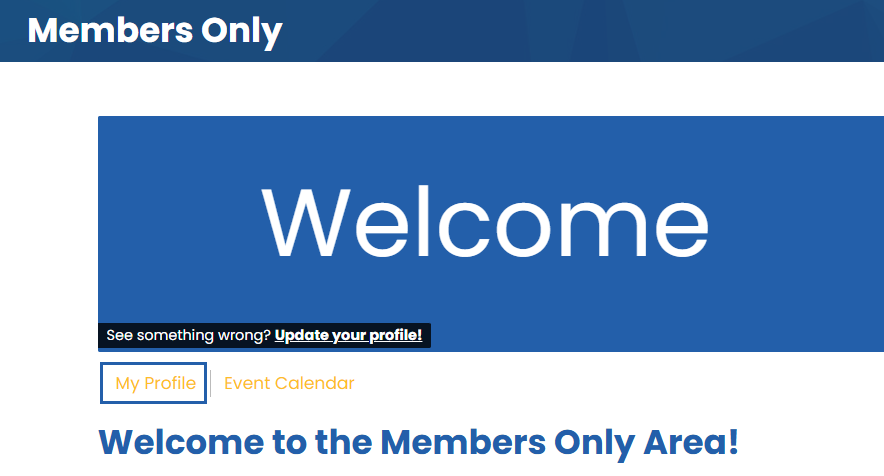
Once logged in to the members area, select My Profile. 

My Profile

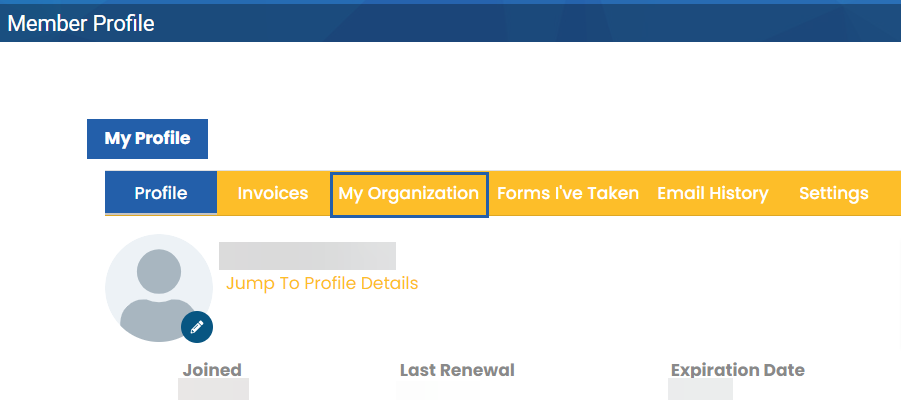
Select My Organization. 

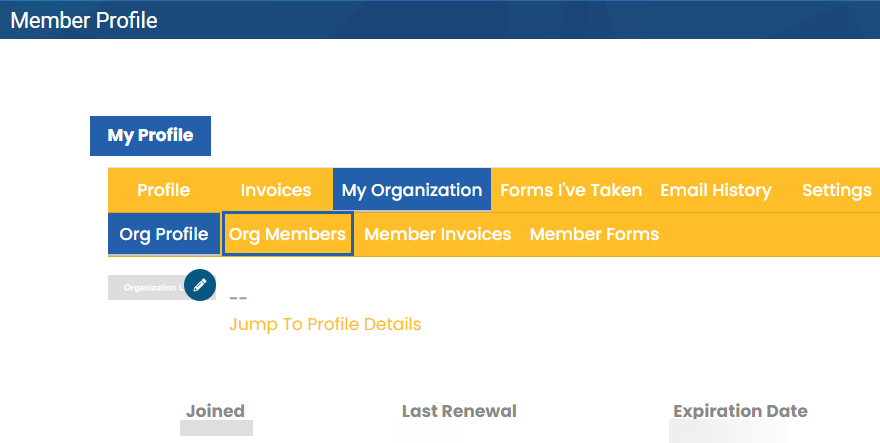
Select Org Members.

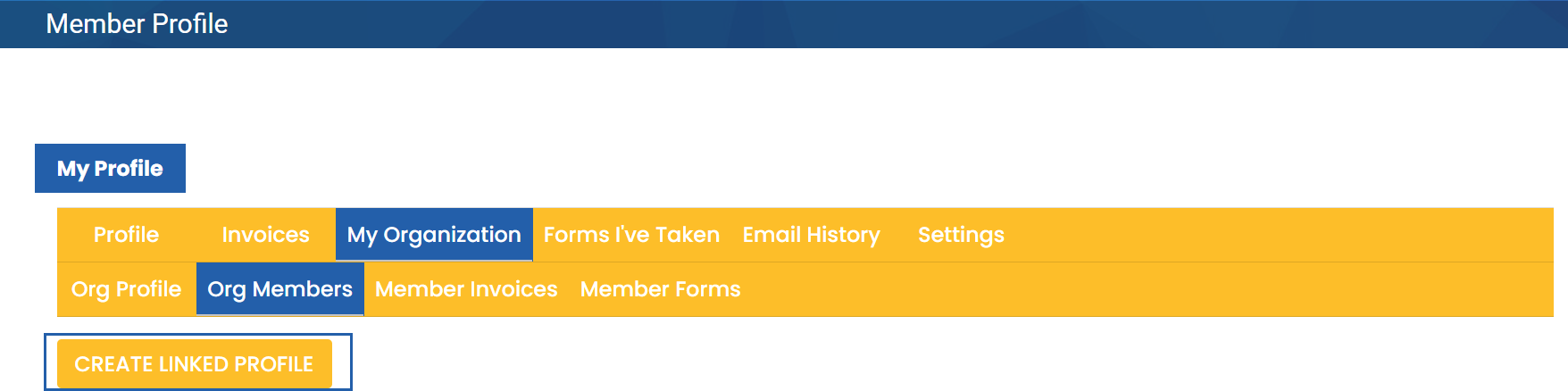
Select Create Linked Profile.

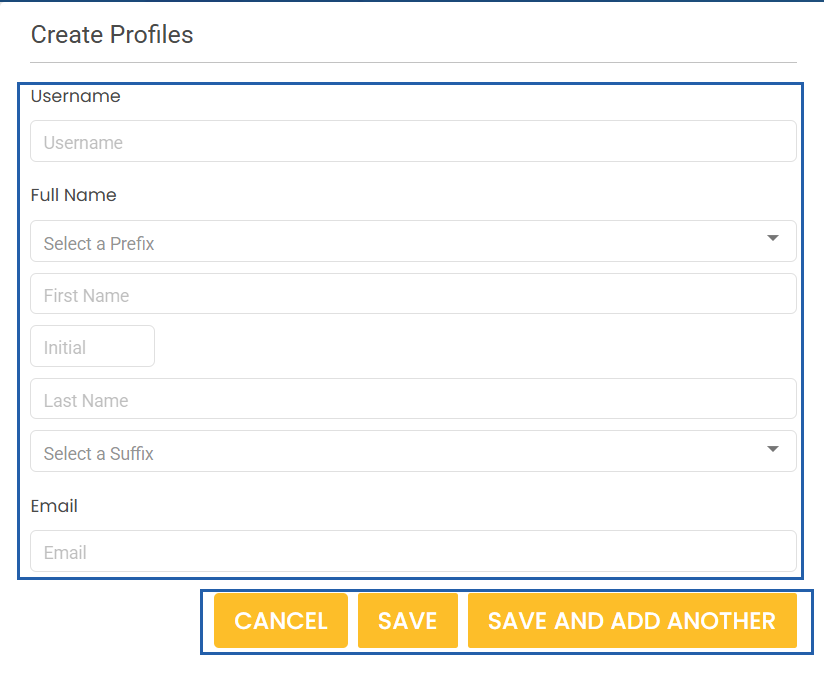
Enter member information and Cancel, Save, or Save and Add Another.


Removing a Member from your Roster

Only Key Contacts are able to remove members from their roster. For support, please contact [email protected]

Once logged in to the members area, select My Profile. 

My Profile

Select My Organization. 

Select Org Members.

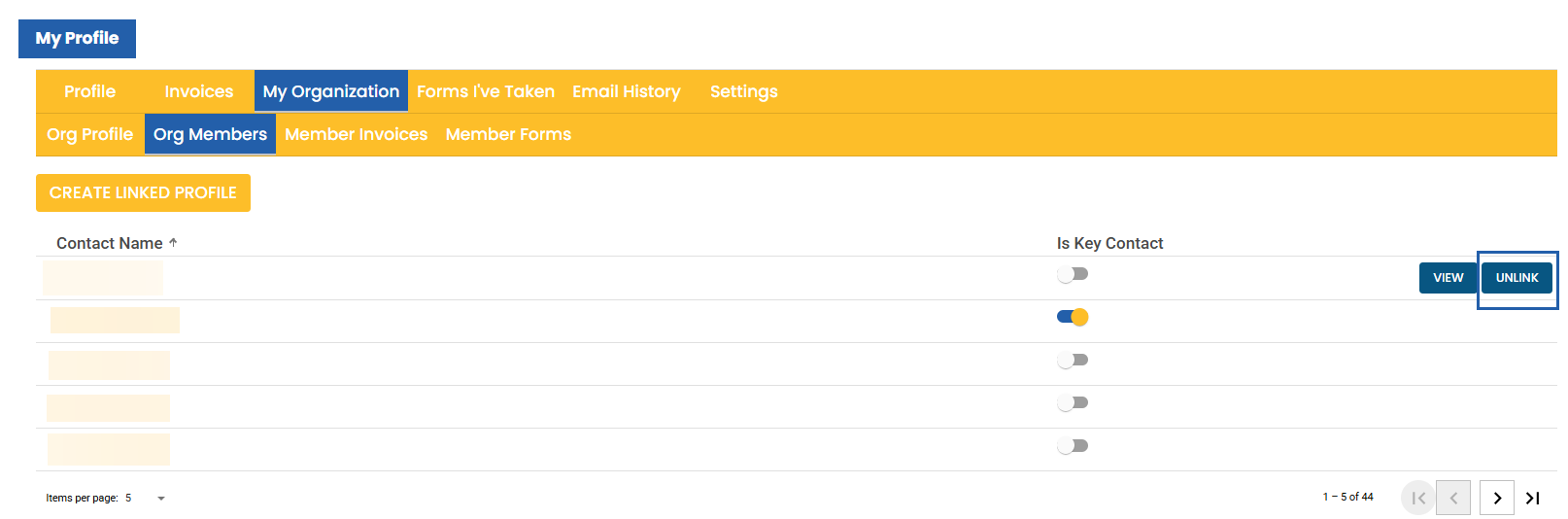
Hover over the line of the member you will remove and select Unlink. 

Updating Key Contact for your Institution

Key Contacts can add and remove other Key Contacts. If the Key Contact for your institution needs to be updated and is not able to access the PACRAO website, please contact [email protected]

Once logged in to the members area, select My Profile. 

My Profile

Select My Organization. 

Select Org Members.

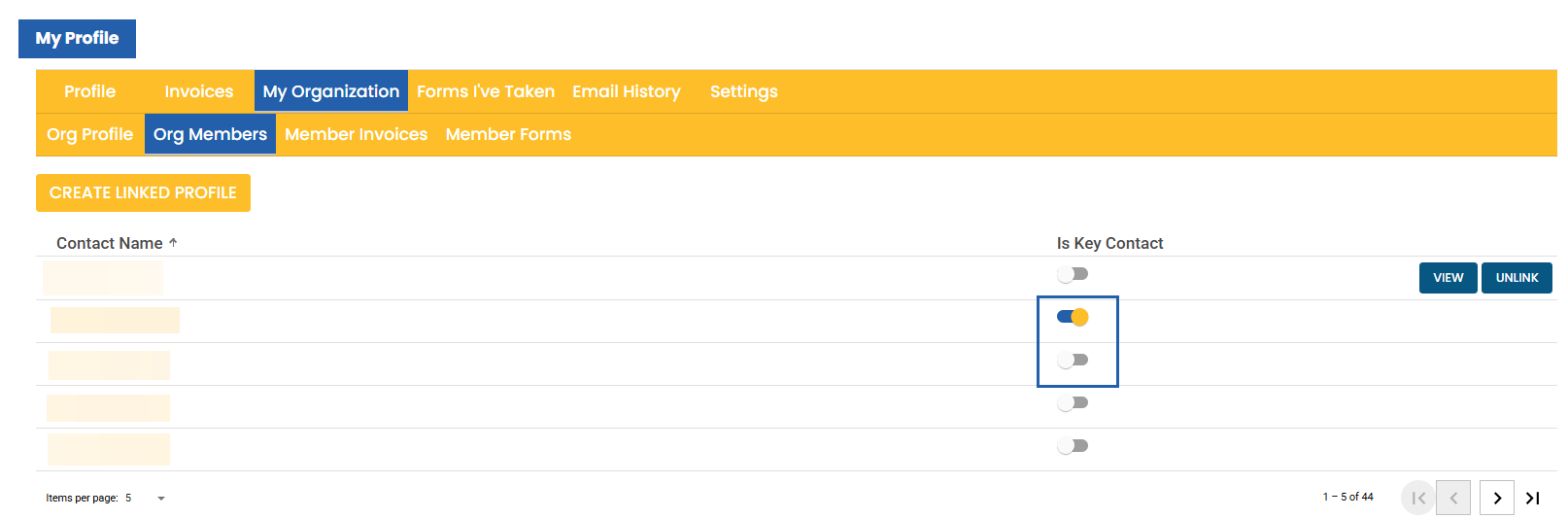
Toggle the button under Is Key Contact to indicate a new Key Contact or remove an existing Key Contact.